IPSW · iPadOS

iPadOS 15.1 IPSW Download (19B74)

Build 19B74, released October 25, 2021 — restore images for 21 iPads, straight from Apple's servers.

Release Build 19B74 Size 5.15 GB – 6.51 GB All iPadOS 15 builds →
Apple has stopped signing this build. A restore will be rejected at the final step. The files stay listed for reference. Signing status checked September 12, 2026.

Choose your iPad

21 devices. Each row is one file on Apple's CDN.

iPad (9th generation)
Unsigned iPad12,1, iPad12,2 5.82 GB
iPad_10.2_2021_15.1_19B74_Restore.ipsw SHA-256 47e44b42e4f10ae6f99a365fdf0fdef66b81bd1d8e52b6c70505ba44652d93b9
Download
iPad mini (6th generation)
Unsigned iPad14,1, iPad14,2 5.95 GB
iPad_Fall_2021_15.1_19B74_Restore.ipsw SHA-256 5c7d0febc0ababef9fdd939f02b15f76e7f0397838138a2ae4bb32c184c16c46
Download
iPad Pro 11-inch (3rd generation)
Unsigned iPad13,4, iPad13,5, iPad13,6, iPad13,7 6.41 GB

iPad_Pro_Spring_2021_15.1_19B74_Restore.ipsw SHA-256 611577e50e44ccc667beae1a8fe11b47a4a687363a3b7747f21627d90309c8ba
Download
iPad Pro 12.9-inch (5th generation)
Unsigned iPad13,8, iPad13,9, iPad13,10, iPad13,11 6.41 GB

iPad_Pro_Spring_2021_15.1_19B74_Restore.ipsw SHA-256 611577e50e44ccc667beae1a8fe11b47a4a687363a3b7747f21627d90309c8ba
Download
iPad Air (4th generation)
Unsigned iPad13,1, iPad13,2 5.83 GB
iPad_Fall_2020_15.1_19B74_Restore.ipsw SHA-256 bcde0dba775219f183ee17e2179e6a61a8737a4e0c7b88bea7853a698774d9e1
Download
iPad (8th generation)
Unsigned iPad11,6, iPad11,7 5.80 GB
iPad_10.2_2020_15.1_19B74_Restore.ipsw SHA-256 87ed8a8b123677a671a338346c6a436f12af2056a2552a481ab4c3085bf541cf
Download
iPad Pro 11-inch (2nd generation)
Unsigned iPad8,9, iPad8,10 6.51 GB
iPad_Pro_A12X_A12Z_15.1_19B74_Restore.ipsw SHA-256 d8d6680983164557041d81b10126061f4fba8cbf0c1ec7e833b4a20ca1a7c5c3
Download
iPad Pro 12.9-inch (4th generation)
Unsigned iPad8,11, iPad8,12 6.51 GB
iPad_Pro_A12X_A12Z_15.1_19B74_Restore.ipsw SHA-256 d8d6680983164557041d81b10126061f4fba8cbf0c1ec7e833b4a20ca1a7c5c3
Download
iPad (7th generation)
Unsigned iPad7,11, iPad7,12 5.28 GB
iPad_10.2_15.1_19B74_Restore.ipsw SHA-256 a1243dd73c2bec5dd715275f92e829b158b58444e6be2d73990d1ff61b8602cc
Download
iPad Air (3rd generation)
Unsigned iPad11,3, iPad11,4 5.94 GB
iPad_Spring_2019_15.1_19B74_Restore.ipsw SHA-256 58ecb7a60b321a1caa187912860d0b6a5c7c53243e9bf474cc255caec54515ec
Download
iPad mini (5th generation)
Unsigned iPad11,1, iPad11,2 5.94 GB
iPad_Spring_2019_15.1_19B74_Restore.ipsw SHA-256 58ecb7a60b321a1caa187912860d0b6a5c7c53243e9bf474cc255caec54515ec
Download
iPad Pro 11-inch (1st generation)
Unsigned iPad8,1, iPad8,2, iPad8,3, iPad8,4 6.51 GB

iPad_Pro_A12X_A12Z_15.1_19B74_Restore.ipsw SHA-256 d8d6680983164557041d81b10126061f4fba8cbf0c1ec7e833b4a20ca1a7c5c3
Download
iPad Pro 12.9-inch (3rd generation)
Unsigned iPad8,5, iPad8,6, iPad8,7, iPad8,8 6.51 GB

iPad_Pro_A12X_A12Z_15.1_19B74_Restore.ipsw SHA-256 d8d6680983164557041d81b10126061f4fba8cbf0c1ec7e833b4a20ca1a7c5c3
Download
iPad (6th generation)
Unsigned iPad7,5, iPad7,6 5.34 GB
iPad_64bit_TouchID_ASTC_15.1_19B74_Restore.ipsw SHA-256 067f4999847aa280b286fd8605ebfaac80f73d2c6c283ee961e599ae5ee8cf5e
Download
iPad Pro (10.5-inch)
Unsigned iPad7,3, iPad7,4 5.47 GB
iPad_Pro_HFR_15.1_19B74_Restore.ipsw SHA-256 a3026f969106ece36aa0fb8299ef565e0e138284281b249133175bcf9b2a0b27
Download
iPad Pro (12.9-inch) (2nd generation)
Unsigned iPad7,1, iPad7,2 5.47 GB
iPad_Pro_HFR_15.1_19B74_Restore.ipsw SHA-256 a3026f969106ece36aa0fb8299ef565e0e138284281b249133175bcf9b2a0b27
Download
iPad (5th generation)
Unsigned iPad6,11, iPad6,12 5.34 GB
iPad_64bit_TouchID_ASTC_15.1_19B74_Restore.ipsw SHA-256 067f4999847aa280b286fd8605ebfaac80f73d2c6c283ee961e599ae5ee8cf5e
Download
iPad Pro (9.7-inch)
Unsigned iPad6,3, iPad6,4 5.21 GB
iPadPro_9.7_15.1_19B74_Restore.ipsw SHA-256 0d7e2957405c7b50a1f24264ff081f0bce30863b1e0d7a995b2f53a7368abf74
Download
iPad Pro (12.9-inch) (1st generation)
Unsigned iPad6,7, iPad6,8 5.33 GB
iPadPro_12.9_15.1_19B74_Restore.ipsw SHA-256 e84a1dc50dff9b45394725478374511a7a29893c97787d9bef0acbaf865e266c
Download
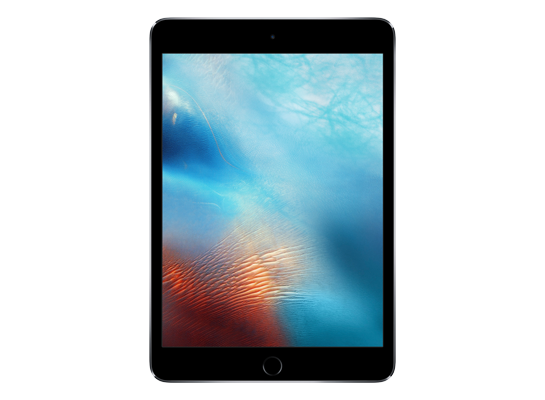
iPad mini 4
Unsigned iPad5,1, iPad5,2 5.15 GB
iPad_64bit_TouchID_15.1_19B74_Restore.ipsw SHA-256 f05ca409b00f25b115202dcade69552ae930b15a0fe661e94b459aeb5a129bd0
Download
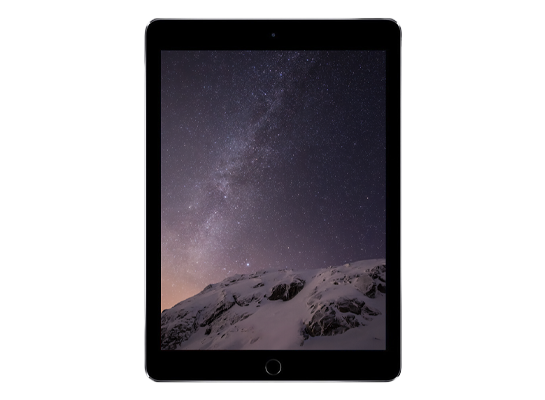
iPad Air 2
Unsigned iPad5,3, iPad5,4 5.15 GB
iPad_64bit_TouchID_15.1_19B74_Restore.ipsw SHA-256 f05ca409b00f25b115202dcade69552ae930b15a0fe661e94b459aeb5a129bd0
Download
Version
iPadOS 15.1
Build
19B74
Released
October 25, 2021
Channel
Public release
Previous
iPadOS 15.1 beta 4
Next
iPadOS 15.1

How to install iPadOS 15.1 from the IPSW

Four steps, and the one that matters most is the first.

Back up first

A restore erases the device. Make an archived backup in Finder or the Apple Devices app — an iCloud backup taken on a newer version cannot be restored onto an older one. Our backup guide covers the difference.

Get the file for your exact model

Check Settings → General → About → Model Name, then download the IPSW for that device. The download shows the file size; compare it with the SHA-256 under Details if you want to be certain the file is intact.

Restore in Finder or Apple Devices

Connect with a cable, select the device, then hold Option (Mac) or Shift (Windows) and click Restore to choose the .ipsw. Update keeps your data but only works upward; Restore erases and is how you downgrade.

Set up or restore your backup

After the restore the device starts fresh. Restore the backup you made — only if it came from the same or an older version than the one you just installed.

Questions? Answers.

Can I restore iPadOS 15.1 today?

Not at the moment — Apple has stopped signing 19B74, so a restore will be rejected at the final step. The files remain here for reference and for signed re-releases.

Which is the right file for my device?

Match the identifier in Settings → General → About (or under the model's name here) against the one on each row. Wi-Fi and Cellular iPads share a file; different generations never do. Restoring the wrong device's IPSW simply fails — it cannot damage the device.

What does "signed" mean?

Apple's servers must approve a firmware before a device will accept it, and Apple only approves the builds it is currently shipping. A signed file can be restored today; an unsigned one is rejected at the end of the process, however you obtained it. Signing status changes without notice, usually within days of a newer release, which is why this catalogue rechecks it automatically.

Will I lose my data?

A Restore erases the device — that is what makes a downgrade possible. An Update with an IPSW keeps your data, but only when moving to a newer version. Either way, make an archived backup on a computer first; an iCloud backup taken on a newer version will not restore onto an older one.