IPSW · iPadOS

iPadOS 15.2.1 IPSW Download (19C63)

Build 19C63, released January 12, 2022 — restore images for 21 iPads, straight from Apple's servers.

Release Build 19C63 Size 5.13 GB – 6.53 GB All iPadOS 15 builds →
Apple has stopped signing this build. A restore will be rejected at the final step. The files stay listed for reference. Signing status checked September 12, 2026.

Choose your iPad

21 devices. Each row is one file on Apple's CDN.

iPad (9th generation)
Unsigned iPad12,1, iPad12,2 5.85 GB
iPad_10.2_2021_15.2.1_19C63_Restore.ipsw SHA-256 d4b484db1233ef93e91f71707270ff20487e0804c026c3f0bac9f211a10cff65
Download
iPad mini (6th generation)
Unsigned iPad14,1, iPad14,2 5.98 GB
iPad_Fall_2021_15.2.1_19C63_Restore.ipsw SHA-256 b8648aae2e2a16384c87651075daf2f2487e348fe465886775dd15e9c73858cd
Download
iPad Pro 11-inch (3rd generation)
Unsigned iPad13,4, iPad13,5, iPad13,6, iPad13,7 6.44 GB

iPad_Pro_Spring_2021_15.2.1_19C63_Restore.ipsw SHA-256 678aad4392bb36880be674c57711dcf6ff31c37ef28a2236f81fa55d00dc48a1
Download
iPad Pro 12.9-inch (5th generation)
Unsigned iPad13,8, iPad13,9, iPad13,10, iPad13,11 6.44 GB

iPad_Pro_Spring_2021_15.2.1_19C63_Restore.ipsw SHA-256 678aad4392bb36880be674c57711dcf6ff31c37ef28a2236f81fa55d00dc48a1
Download
iPad Air (4th generation)
Unsigned iPad13,1, iPad13,2 5.86 GB
iPad_Fall_2020_15.2.1_19C63_Restore.ipsw SHA-256 c88abb7cbbeedc542c7f112d3161259740e306321556ea042d69f79e606da274
Download
iPad (8th generation)
Unsigned iPad11,6, iPad11,7 5.82 GB
iPad_10.2_2020_15.2.1_19C63_Restore.ipsw SHA-256 6a97f9035bedc17c8b3181bbe2512c981c39fd13ae5be4191846f9b3698e6e56
Download
iPad Pro 11-inch (2nd generation)
Unsigned iPad8,9, iPad8,10 6.53 GB
iPad_Pro_A12X_A12Z_15.2.1_19C63_Restore.ipsw SHA-256 eaa1e54626baf4a753129ebc98b4399ea4beafb7344b6a9d6c453b123b73eb79
Download
iPad Pro 12.9-inch (4th generation)
Unsigned iPad8,11, iPad8,12 6.53 GB
iPad_Pro_A12X_A12Z_15.2.1_19C63_Restore.ipsw SHA-256 eaa1e54626baf4a753129ebc98b4399ea4beafb7344b6a9d6c453b123b73eb79
Download
iPad (7th generation)
Unsigned iPad7,11, iPad7,12 5.30 GB
iPad_10.2_15.2.1_19C63_Restore.ipsw SHA-256 cac4ebad2f538e1ecba04602da68183159d54b35b8dff0c1c1dea62b2fe51079
Download
iPad Air (3rd generation)
Unsigned iPad11,3, iPad11,4 5.96 GB
iPad_Spring_2019_15.2.1_19C63_Restore.ipsw SHA-256 b09cc8fcc47656d895dc907238c10e21bce46ae73069bdf6b1473a8769e81915
Download
iPad mini (5th generation)
Unsigned iPad11,1, iPad11,2 5.96 GB
iPad_Spring_2019_15.2.1_19C63_Restore.ipsw SHA-256 b09cc8fcc47656d895dc907238c10e21bce46ae73069bdf6b1473a8769e81915
Download
iPad Pro 11-inch (1st generation)
Unsigned iPad8,1, iPad8,2, iPad8,3, iPad8,4 6.53 GB

iPad_Pro_A12X_A12Z_15.2.1_19C63_Restore.ipsw SHA-256 eaa1e54626baf4a753129ebc98b4399ea4beafb7344b6a9d6c453b123b73eb79
Download
iPad Pro 12.9-inch (3rd generation)
Unsigned iPad8,5, iPad8,6, iPad8,7, iPad8,8 6.53 GB

iPad_Pro_A12X_A12Z_15.2.1_19C63_Restore.ipsw SHA-256 eaa1e54626baf4a753129ebc98b4399ea4beafb7344b6a9d6c453b123b73eb79
Download
iPad (6th generation)
Unsigned iPad7,5, iPad7,6 5.35 GB
iPad_64bit_TouchID_ASTC_15.2.1_19C63_Restore.ipsw SHA-256 10b791ae96ae3ad3e8e711798a1a8184fc5bd3daf6a5e28e832f284c3ba482b5
Download
iPad Pro (10.5-inch)
Unsigned iPad7,3, iPad7,4 5.49 GB
iPad_Pro_HFR_15.2.1_19C63_Restore.ipsw SHA-256 b1214ada29509ebea6b14246d57159e76352bfd3947076219a6c24d9554fcabd
Download
iPad Pro (12.9-inch) (2nd generation)
Unsigned iPad7,1, iPad7,2 5.49 GB
iPad_Pro_HFR_15.2.1_19C63_Restore.ipsw SHA-256 b1214ada29509ebea6b14246d57159e76352bfd3947076219a6c24d9554fcabd
Download
iPad (5th generation)
Unsigned iPad6,11, iPad6,12 5.35 GB
iPad_64bit_TouchID_ASTC_15.2.1_19C63_Restore.ipsw SHA-256 10b791ae96ae3ad3e8e711798a1a8184fc5bd3daf6a5e28e832f284c3ba482b5
Download
iPad Pro (9.7-inch)
Unsigned iPad6,3, iPad6,4 5.23 GB
iPadPro_9.7_15.2.1_19C63_Restore.ipsw SHA-256 cb1eb609b12937455de219e04ea6c6e70f80174d75fbeef4076a27226041da5b
Download
iPad Pro (12.9-inch) (1st generation)
Unsigned iPad6,7, iPad6,8 5.34 GB
iPadPro_12.9_15.2.1_19C63_Restore.ipsw SHA-256 ff3f93beeaf795cb39ca88ae0fc84693c97a45e28cbe08dfa3ab1d5627420faf
Download
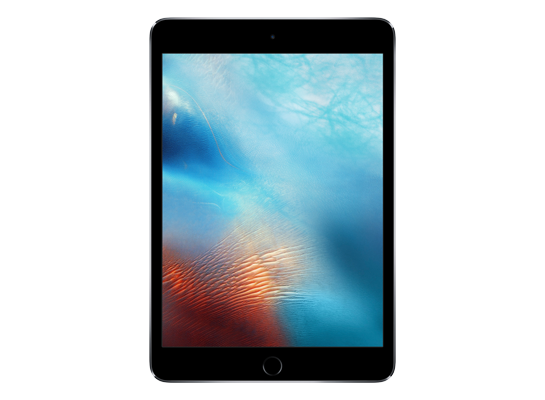
iPad mini 4
Unsigned iPad5,1, iPad5,2 5.13 GB
iPad_64bit_TouchID_15.2.1_19C63_Restore.ipsw SHA-256 a0c272535b32fc4fd9785bc0a50833151c2c79fed58b278314f31dbe3d11831b
Download
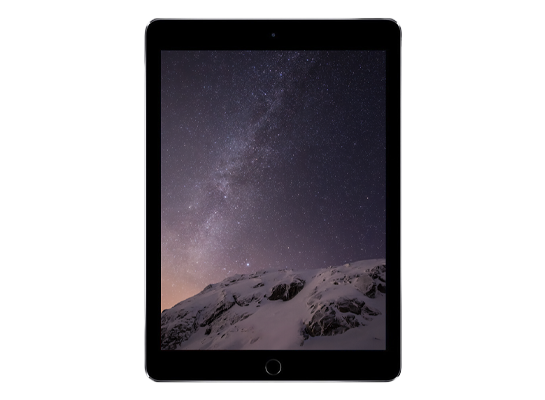
iPad Air 2
Unsigned iPad5,3, iPad5,4 5.13 GB
iPad_64bit_TouchID_15.2.1_19C63_Restore.ipsw SHA-256 a0c272535b32fc4fd9785bc0a50833151c2c79fed58b278314f31dbe3d11831b
Download
Version
iPadOS 15.2.1
Build
19C63
Released
January 12, 2022
Channel
Public release
Previous
iPadOS 15.3 beta
Next
iPadOS 15.3 beta 2

How to install iPadOS 15.2.1 from the IPSW

Four steps, and the one that matters most is the first.

Back up first

A restore erases the device. Make an archived backup in Finder or the Apple Devices app — an iCloud backup taken on a newer version cannot be restored onto an older one. Our backup guide covers the difference.

Get the file for your exact model

Check Settings → General → About → Model Name, then download the IPSW for that device. The download shows the file size; compare it with the SHA-256 under Details if you want to be certain the file is intact.

Restore in Finder or Apple Devices

Connect with a cable, select the device, then hold Option (Mac) or Shift (Windows) and click Restore to choose the .ipsw. Update keeps your data but only works upward; Restore erases and is how you downgrade.

Set up or restore your backup

After the restore the device starts fresh. Restore the backup you made — only if it came from the same or an older version than the one you just installed.

Questions? Answers.

Can I restore iPadOS 15.2.1 today?

Not at the moment — Apple has stopped signing 19C63, so a restore will be rejected at the final step. The files remain here for reference and for signed re-releases.

Which is the right file for my device?

Match the identifier in Settings → General → About (or under the model's name here) against the one on each row. Wi-Fi and Cellular iPads share a file; different generations never do. Restoring the wrong device's IPSW simply fails — it cannot damage the device.

What does "signed" mean?

Apple's servers must approve a firmware before a device will accept it, and Apple only approves the builds it is currently shipping. A signed file can be restored today; an unsigned one is rejected at the end of the process, however you obtained it. Signing status changes without notice, usually within days of a newer release, which is why this catalogue rechecks it automatically.

Will I lose my data?

A Restore erases the device — that is what makes a downgrade possible. An Update with an IPSW keeps your data, but only when moving to a newer version. Either way, make an archived backup on a computer first; an iCloud backup taken on a newer version will not restore onto an older one.