IPSW · iPadOS

iPadOS 15.3 RC IPSW Download (19D49)

Build 19D49, released January 20, 2022 — restore images for 21 iPads, straight from Apple's servers.

RC Build 19D49 Size 5.12 GB – 6.58 GB All iPadOS 15 builds →
Apple has stopped signing this build. A restore will be rejected at the final step. The files stay listed for reference. Signing status checked September 12, 2026.

Choose your iPad

21 devices. Each row is one file on Apple's CDN.

iPad (9th generation)
Unsigned iPad12,1, iPad12,2 5.85 GB
iPad_10.2_2021_15.3_19D49_Restore.ipsw SHA-256 a2268d8dfefb182d0bc4b0429f8612e444b6bab10c4c329a2d840ec364562666
Download
iPad mini (6th generation)
Unsigned iPad14,1, iPad14,2 5.97 GB
iPad_Fall_2021_15.3_19D49_Restore.ipsw SHA-256 da01080cec6689443f85bb65e6cfead5595b50770f573c16c3de22e68300667c
Download
iPad Pro 11-inch (3rd generation)
Unsigned iPad13,4, iPad13,5, iPad13,6, iPad13,7 6.38 GB

iPad_Pro_Spring_2021_15.3_19D49_Restore.ipsw SHA-256 3e309c1c17d18761558b168f19b3324e7ad031e1d3db1cf7b9a019e09a1860f3
Download
iPad Pro 12.9-inch (5th generation)
Unsigned iPad13,8, iPad13,9, iPad13,10, iPad13,11 6.38 GB

iPad_Pro_Spring_2021_15.3_19D49_Restore.ipsw SHA-256 3e309c1c17d18761558b168f19b3324e7ad031e1d3db1cf7b9a019e09a1860f3
Download
iPad Air (4th generation)
Unsigned iPad13,1, iPad13,2 5.85 GB
iPad_Fall_2020_15.3_19D49_Restore.ipsw SHA-256 929f96ba9cd04e671bc37a02ee98cf03c8bfa35d0f48cb0527c17a6054a61b54
Download
iPad (8th generation)
Unsigned iPad11,6, iPad11,7 5.82 GB
iPad_10.2_2020_15.3_19D49_Restore.ipsw SHA-256 b5615062015ff867d281eb2ec229a4a3c59d4774ed93dfd0ac4119b5516371bc
Download
iPad Pro 11-inch (2nd generation)
Unsigned iPad8,9, iPad8,10 6.58 GB
iPad_Pro_A12X_A12Z_15.3_19D49_Restore.ipsw SHA-256 b454e6edfa82b3fbe2cf9ffd8910ced9b5fb0c4ba3254fede35583888a902886
Download
iPad Pro 12.9-inch (4th generation)
Unsigned iPad8,11, iPad8,12 6.58 GB
iPad_Pro_A12X_A12Z_15.3_19D49_Restore.ipsw SHA-256 b454e6edfa82b3fbe2cf9ffd8910ced9b5fb0c4ba3254fede35583888a902886
Download
iPad (7th generation)
Unsigned iPad7,11, iPad7,12 5.29 GB
iPad_10.2_15.3_19D49_Restore.ipsw SHA-256 898755bc4013cbee456a6d081db964c0a4f223afe88d32d310ec4ef5899e3283
Download
iPad Air (3rd generation)
Unsigned iPad11,3, iPad11,4 5.96 GB
iPad_Spring_2019_15.3_19D49_Restore.ipsw SHA-256 6b54849653c1515f24f7843f1d5c2f3e2b071be9e66a3caba5189d88ac744b83
Download
iPad mini (5th generation)
Unsigned iPad11,1, iPad11,2 5.96 GB
iPad_Spring_2019_15.3_19D49_Restore.ipsw SHA-256 6b54849653c1515f24f7843f1d5c2f3e2b071be9e66a3caba5189d88ac744b83
Download
iPad Pro 11-inch (1st generation)
Unsigned iPad8,1, iPad8,2, iPad8,3, iPad8,4 6.58 GB

iPad_Pro_A12X_A12Z_15.3_19D49_Restore.ipsw SHA-256 b454e6edfa82b3fbe2cf9ffd8910ced9b5fb0c4ba3254fede35583888a902886
Download
iPad Pro 12.9-inch (3rd generation)
Unsigned iPad8,5, iPad8,6, iPad8,7, iPad8,8 6.58 GB

iPad_Pro_A12X_A12Z_15.3_19D49_Restore.ipsw SHA-256 b454e6edfa82b3fbe2cf9ffd8910ced9b5fb0c4ba3254fede35583888a902886
Download
iPad (6th generation)
Unsigned iPad7,5, iPad7,6 5.36 GB
iPad_64bit_TouchID_ASTC_15.3_19D49_Restore.ipsw SHA-256 21519c53739403b5e654bd008f82e735dd6533cf23b08069c2b3d9beafaba814
Download
iPad Pro (10.5-inch)
Unsigned iPad7,3, iPad7,4 5.49 GB
iPad_Pro_HFR_15.3_19D49_Restore.ipsw SHA-256 24701317db9eb26a50e4fb8e4246286ab99d6049ca05295c3df9e2a4e3e128c8
Download
iPad Pro (12.9-inch) (2nd generation)
Unsigned iPad7,1, iPad7,2 5.49 GB
iPad_Pro_HFR_15.3_19D49_Restore.ipsw SHA-256 24701317db9eb26a50e4fb8e4246286ab99d6049ca05295c3df9e2a4e3e128c8
Download
iPad (5th generation)
Unsigned iPad6,11, iPad6,12 5.36 GB
iPad_64bit_TouchID_ASTC_15.3_19D49_Restore.ipsw SHA-256 21519c53739403b5e654bd008f82e735dd6533cf23b08069c2b3d9beafaba814
Download
iPad Pro (9.7-inch)
Unsigned iPad6,3, iPad6,4 5.22 GB
iPadPro_9.7_15.3_19D49_Restore.ipsw SHA-256 65efe9b88575a21a498112d8aca8737fd104c065c82e54c4815892c0e63451a6
Download
iPad Pro (12.9-inch) (1st generation)
Unsigned iPad6,7, iPad6,8 5.34 GB
iPadPro_12.9_15.3_19D49_Restore.ipsw SHA-256 84a213f898de171b0a53781e7efc042bbbd652680c46596c321d436d09776f21
Download
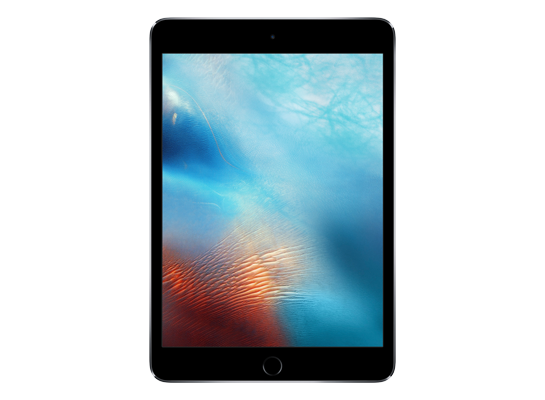
iPad mini 4
Unsigned iPad5,1, iPad5,2 5.12 GB
iPad_64bit_TouchID_15.3_19D49_Restore.ipsw SHA-256 3475b185f2b05cabf87e7766c93c4db5b622f76cb3f94c0c04e7fd69c4e5e7c7
Download
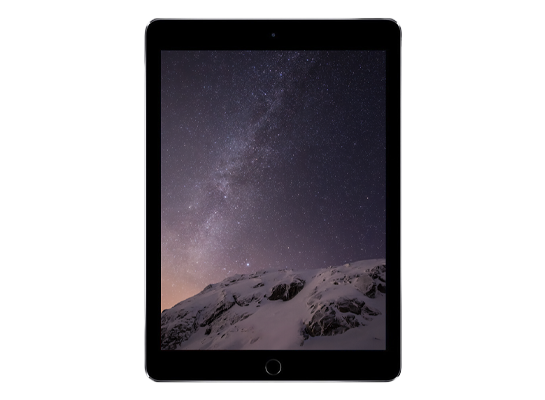
iPad Air 2
Unsigned iPad5,3, iPad5,4 5.12 GB
iPad_64bit_TouchID_15.3_19D49_Restore.ipsw SHA-256 3475b185f2b05cabf87e7766c93c4db5b622f76cb3f94c0c04e7fd69c4e5e7c7
Download
Version
iPadOS 15.3 RC
Build
19D49
Released
January 20, 2022
Channel
Release candidate
Previous
iPadOS 15.3 beta 2
Next
iPadOS 15.3

How to install iPadOS 15.3 RC from the IPSW

Four steps, and the one that matters most is the first.

Back up first

A restore erases the device. Make an archived backup in Finder or the Apple Devices app — an iCloud backup taken on a newer version cannot be restored onto an older one. Our backup guide covers the difference.

Get the file for your exact model

Check Settings → General → About → Model Name, then download the IPSW for that device. The download shows the file size; compare it with the SHA-256 under Details if you want to be certain the file is intact.

Restore in Finder or Apple Devices

Connect with a cable, select the device, then hold Option (Mac) or Shift (Windows) and click Restore to choose the .ipsw. Update keeps your data but only works upward; Restore erases and is how you downgrade.

Set up or restore your backup

After the restore the device starts fresh. Restore the backup you made — only if it came from the same or an older version than the one you just installed.

Questions? Answers.

Can I restore iPadOS 15.3 RC today?

Not at the moment — Apple has stopped signing 19D49, so a restore will be rejected at the final step. The files remain here for reference and for signed re-releases.

Which is the right file for my device?

Match the identifier in Settings → General → About (or under the model's name here) against the one on each row. Wi-Fi and Cellular iPads share a file; different generations never do. Restoring the wrong device's IPSW simply fails — it cannot damage the device.

What does "signed" mean?

Apple's servers must approve a firmware before a device will accept it, and Apple only approves the builds it is currently shipping. A signed file can be restored today; an unsigned one is rejected at the end of the process, however you obtained it. Signing status changes without notice, usually within days of a newer release, which is why this catalogue rechecks it automatically.

Will I lose my data?

A Restore erases the device — that is what makes a downgrade possible. An Update with an IPSW keeps your data, but only when moving to a newer version. Either way, make an archived backup on a computer first; an iCloud backup taken on a newer version will not restore onto an older one.