IPSW · iPadOS

iPadOS 15.5 IPSW Download (19F77)

Build 19F77, released May 16, 2022 — restore images for 22 iPads, straight from Apple's servers.

Release Build 19F77 Size 5.06 GB – 6.41 GB All iPadOS 15 builds →
Apple has stopped signing this build. A restore will be rejected at the final step. The files stay listed for reference. Signing status checked September 12, 2026.

Choose your iPad

22 devices. Each row is one file on Apple's CDN.

iPad Air (5th generation)
Unsigned iPad13,16, iPad13,17 5.85 GB
iPad_Spring_2021_15.5_19F77_Restore.ipsw SHA-256 6f754df5239a3a82e12de0f9e2a3a342031e952b1ee547988ac1d956b93ce558
Download
iPad (9th generation)
Unsigned iPad12,1, iPad12,2 5.65 GB
iPad_10.2_2021_15.5_19F77_Restore.ipsw SHA-256 2deb8ac585d7928fdb34e9ca9a4622956574714cbba69e37469b39ee72f3e97c
Download
iPad mini (6th generation)
Unsigned iPad14,1, iPad14,2 5.84 GB
iPad_Fall_2021_15.5_19F77_Restore.ipsw SHA-256 55feda711e35529cc22cf11b65e84ae65fe212f9aaef47da2d0f5c05f9c233f7
Download
iPad Pro 11-inch (3rd generation)
Unsigned iPad13,4, iPad13,5, iPad13,6, iPad13,7 6.26 GB

iPad_Pro_Spring_2021_15.5_19F77_Restore.ipsw SHA-256 51eb124fea0970bd0013ffb851ec8edc56c9a9f14360ca14eb777a52618c4531
Download
iPad Pro 12.9-inch (5th generation)
Unsigned iPad13,8, iPad13,9, iPad13,10, iPad13,11 6.26 GB

iPad_Pro_Spring_2021_15.5_19F77_Restore.ipsw SHA-256 51eb124fea0970bd0013ffb851ec8edc56c9a9f14360ca14eb777a52618c4531
Download
iPad Air (4th generation)
Unsigned iPad13,1, iPad13,2 5.74 GB
iPad_Fall_2020_15.5_19F77_Restore.ipsw SHA-256 e1de75517eceaab1a2a3db0641ad499e11002b87264f1b00737c563cb700f7f8
Download
iPad (8th generation)
Unsigned iPad11,6, iPad11,7 5.73 GB
iPad_10.2_2020_15.5_19F77_Restore.ipsw SHA-256 dbf24b86793667a3f2acfafb7a8cfbf42e4638a89aa6678e06d8183c417c7e33
Download
iPad Pro 11-inch (2nd generation)
Unsigned iPad8,9, iPad8,10 6.41 GB
iPad_Pro_A12X_A12Z_15.5_19F77_Restore.ipsw SHA-256 c8480dc448775eaa23d400f7880a5909b4cf0fb83fa0651925af3e69cc843c01
Download
iPad Pro 12.9-inch (4th generation)
Unsigned iPad8,11, iPad8,12 6.41 GB
iPad_Pro_A12X_A12Z_15.5_19F77_Restore.ipsw SHA-256 c8480dc448775eaa23d400f7880a5909b4cf0fb83fa0651925af3e69cc843c01
Download
iPad (7th generation)
Unsigned iPad7,11, iPad7,12 5.16 GB
iPad_10.2_15.5_19F77_Restore.ipsw SHA-256 e9772015a2da43d351ed396012e12508c536aadc99d1ade26ffc6288d2a239c1
Download
iPad Air (3rd generation)
Unsigned iPad11,3, iPad11,4 5.86 GB
iPad_Spring_2019_15.5_19F77_Restore.ipsw SHA-256 bdbdee60e936a338fd9404ef1aea39404435cca375e137dac20c118cd7711cb0
Download
iPad mini (5th generation)
Unsigned iPad11,1, iPad11,2 5.86 GB
iPad_Spring_2019_15.5_19F77_Restore.ipsw SHA-256 bdbdee60e936a338fd9404ef1aea39404435cca375e137dac20c118cd7711cb0
Download
iPad Pro 11-inch (1st generation)
Unsigned iPad8,1, iPad8,2, iPad8,3, iPad8,4 6.41 GB

iPad_Pro_A12X_A12Z_15.5_19F77_Restore.ipsw SHA-256 c8480dc448775eaa23d400f7880a5909b4cf0fb83fa0651925af3e69cc843c01
Download
iPad Pro 12.9-inch (3rd generation)
Unsigned iPad8,5, iPad8,6, iPad8,7, iPad8,8 6.41 GB

iPad_Pro_A12X_A12Z_15.5_19F77_Restore.ipsw SHA-256 c8480dc448775eaa23d400f7880a5909b4cf0fb83fa0651925af3e69cc843c01
Download
iPad (6th generation)
Unsigned iPad7,5, iPad7,6 5.24 GB
iPad_64bit_TouchID_ASTC_15.5_19F77_Restore.ipsw SHA-256 9d6fe3d9df26b616e5df41e8174c48f1829440b5db4188a473687d87418081b7
Download
iPad Pro (10.5-inch)
Unsigned iPad7,3, iPad7,4 5.36 GB
iPad_Pro_HFR_15.5_19F77_Restore.ipsw SHA-256 ff70c375bdc6a19f302ff01da56b906fe0d6e1b6fa56136690ced0cee63f35c8
Download
iPad Pro (12.9-inch) (2nd generation)
Unsigned iPad7,1, iPad7,2 5.36 GB
iPad_Pro_HFR_15.5_19F77_Restore.ipsw SHA-256 ff70c375bdc6a19f302ff01da56b906fe0d6e1b6fa56136690ced0cee63f35c8
Download
iPad (5th generation)
Unsigned iPad6,11, iPad6,12 5.24 GB
iPad_64bit_TouchID_ASTC_15.5_19F77_Restore.ipsw SHA-256 9d6fe3d9df26b616e5df41e8174c48f1829440b5db4188a473687d87418081b7
Download
iPad Pro (9.7-inch)
Unsigned iPad6,3, iPad6,4 5.10 GB
iPadPro_9.7_15.5_19F77_Restore.ipsw SHA-256 0adaf56af1780d0dd2ee6fb60130dea78a377aad182109ec92cc103d901d45a8
Download
iPad Pro (12.9-inch) (1st generation)
Unsigned iPad6,7, iPad6,8 5.22 GB
iPadPro_12.9_15.5_19F77_Restore.ipsw SHA-256 c7009114998a494ca0b94a0579fd35d70222c69a7629a0d6a8e62df8583d4af2
Download
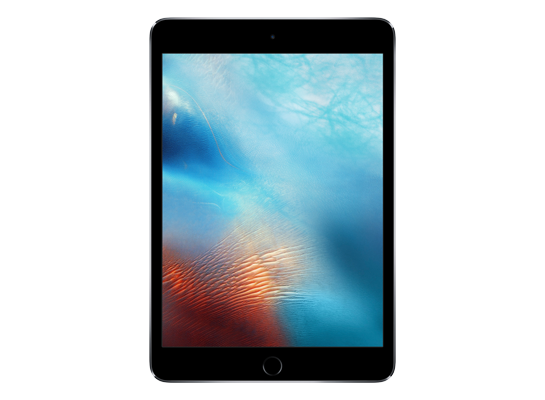
iPad mini 4
Unsigned iPad5,1, iPad5,2 5.06 GB
iPad_64bit_TouchID_15.5_19F77_Restore.ipsw SHA-256 bd9409ac9247accbf326138729c35780c5176afa60078e83189373fdafe03fef
Download
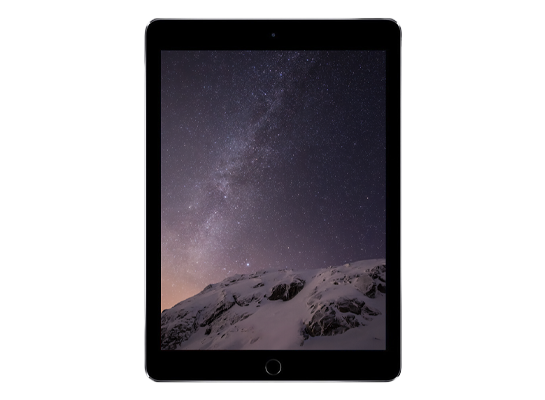
iPad Air 2
Unsigned iPad5,3, iPad5,4 5.06 GB
iPad_64bit_TouchID_15.5_19F77_Restore.ipsw SHA-256 bd9409ac9247accbf326138729c35780c5176afa60078e83189373fdafe03fef
Download
Version
iPadOS 15.5
Build
19F77
Released
May 16, 2022
Channel
Public release
Previous
iPadOS 15.5 beta 4
Next
iPadOS 15.6 beta

How to install iPadOS 15.5 from the IPSW

Four steps, and the one that matters most is the first.

Back up first

A restore erases the device. Make an archived backup in Finder or the Apple Devices app — an iCloud backup taken on a newer version cannot be restored onto an older one. Our backup guide covers the difference.

Get the file for your exact model

Check Settings → General → About → Model Name, then download the IPSW for that device. The download shows the file size; compare it with the SHA-256 under Details if you want to be certain the file is intact.

Restore in Finder or Apple Devices

Connect with a cable, select the device, then hold Option (Mac) or Shift (Windows) and click Restore to choose the .ipsw. Update keeps your data but only works upward; Restore erases and is how you downgrade.

Set up or restore your backup

After the restore the device starts fresh. Restore the backup you made — only if it came from the same or an older version than the one you just installed.

Questions? Answers.

Can I restore iPadOS 15.5 today?

Not at the moment — Apple has stopped signing 19F77, so a restore will be rejected at the final step. The files remain here for reference and for signed re-releases.

Which is the right file for my device?

Match the identifier in Settings → General → About (or under the model's name here) against the one on each row. Wi-Fi and Cellular iPads share a file; different generations never do. Restoring the wrong device's IPSW simply fails — it cannot damage the device.

What does "signed" mean?

Apple's servers must approve a firmware before a device will accept it, and Apple only approves the builds it is currently shipping. A signed file can be restored today; an unsigned one is rejected at the end of the process, however you obtained it. Signing status changes without notice, usually within days of a newer release, which is why this catalogue rechecks it automatically.

Will I lose my data?

A Restore erases the device — that is what makes a downgrade possible. An Update with an IPSW keeps your data, but only when moving to a newer version. Either way, make an archived backup on a computer first; an iCloud backup taken on a newer version will not restore onto an older one.