IPSW · iPadOS

iPadOS 15.7 IPSW Download (19H12)

Build 19H12, released September 12, 2022 — restore images for 22 iPads, straight from Apple's servers.

Release Build 19H12 Size 5.05 GB – 6.41 GB All iPadOS 15 builds →
Apple has stopped signing this build. A restore will be rejected at the final step. The files stay listed for reference. Signing status checked September 12, 2026.

Choose your iPad

22 devices. Each row is one file on Apple's CDN.

iPad Air (5th generation)
Unsigned iPad13,16, iPad13,17 5.85 GB
iPad_Spring_2022_15.7_19H12_Restore.ipsw SHA-256 3d1c0eb691021ab58696c5c8adbaa4adc1080cbafcc134faef898472ecca060f
Download
iPad (9th generation)
Unsigned iPad12,1, iPad12,2 5.64 GB
iPad_10.2_2021_15.7_19H12_Restore.ipsw SHA-256 ec4cd991730a7aaa571da649f9141ba1eb0a5def7281a9abf57e5f2baf1644fc
Download
iPad mini (6th generation)
Unsigned iPad14,1, iPad14,2 5.84 GB
iPad_Fall_2021_15.7_19H12_Restore.ipsw SHA-256 6f295c677126396b484ed92fb612c3c0d9b75f733b04635568483c2d03210ad2
Download
iPad Pro 11-inch (3rd generation)
Unsigned iPad13,4, iPad13,5, iPad13,6, iPad13,7 6.26 GB

iPad_Pro_Spring_2021_15.7_19H12_Restore.ipsw SHA-256 14ac286b2346afb4e7b3e3f2eb4645cffa07b15b7c77580c1c60914a5de535de
Download
iPad Pro 12.9-inch (5th generation)
Unsigned iPad13,8, iPad13,9, iPad13,10, iPad13,11 6.26 GB

iPad_Pro_Spring_2021_15.7_19H12_Restore.ipsw SHA-256 14ac286b2346afb4e7b3e3f2eb4645cffa07b15b7c77580c1c60914a5de535de
Download
iPad Air (4th generation)
Unsigned iPad13,1, iPad13,2 5.74 GB
iPad_Fall_2020_15.7_19H12_Restore.ipsw SHA-256 78ce4a67dc8385163c29ffd95e4643e17404fd4d06459cabe74b4e8ce408abc2
Download
iPad (8th generation)
Unsigned iPad11,6, iPad11,7 5.73 GB
iPad_10.2_2020_15.7_19H12_Restore.ipsw SHA-256 c9c11f20026c846565ebde8e920f6df398a8fd15d191720be6d0f292f2d49c91
Download
iPad Pro 11-inch (2nd generation)
Unsigned iPad8,9, iPad8,10 6.41 GB
iPad_Pro_A12X_A12Z_15.7_19H12_Restore.ipsw SHA-256 db5c8f6f2bb8f0baedb5ca04670ad67e243d7318b877cca6d97b1d2e280a822c
Download
iPad Pro 12.9-inch (4th generation)
Unsigned iPad8,11, iPad8,12 6.41 GB
iPad_Pro_A12X_A12Z_15.7_19H12_Restore.ipsw SHA-256 db5c8f6f2bb8f0baedb5ca04670ad67e243d7318b877cca6d97b1d2e280a822c
Download
iPad (7th generation)
Unsigned iPad7,11, iPad7,12 5.16 GB
iPad_10.2_15.7_19H12_Restore.ipsw SHA-256 1f9c74c75bfacb3b14a5bcdf5557e8aeb93953a2207a19f27fdc602c6234579f
Download
iPad Air (3rd generation)
Unsigned iPad11,3, iPad11,4 5.86 GB
iPad_Spring_2019_15.7_19H12_Restore.ipsw SHA-256 336549f8c27f475679c05aa9d757b93987d3f215244059697bf9ca69719eec39
Download
iPad mini (5th generation)
Unsigned iPad11,1, iPad11,2 5.86 GB
iPad_Spring_2019_15.7_19H12_Restore.ipsw SHA-256 336549f8c27f475679c05aa9d757b93987d3f215244059697bf9ca69719eec39
Download
iPad Pro 11-inch (1st generation)
Unsigned iPad8,1, iPad8,2, iPad8,3, iPad8,4 6.41 GB

iPad_Pro_A12X_A12Z_15.7_19H12_Restore.ipsw SHA-256 db5c8f6f2bb8f0baedb5ca04670ad67e243d7318b877cca6d97b1d2e280a822c
Download
iPad Pro 12.9-inch (3rd generation)
Unsigned iPad8,5, iPad8,6, iPad8,7, iPad8,8 6.41 GB

iPad_Pro_A12X_A12Z_15.7_19H12_Restore.ipsw SHA-256 db5c8f6f2bb8f0baedb5ca04670ad67e243d7318b877cca6d97b1d2e280a822c
Download
iPad (6th generation)
Unsigned iPad7,5, iPad7,6 5.23 GB
iPad_64bit_TouchID_ASTC_15.7_19H12_Restore.ipsw SHA-256 541174c40c0ef2d3fc0ea7c7dbe814c75ac35ec2e419ded0049e16a0c4129957
Download
iPad Pro (10.5-inch)
Unsigned iPad7,3, iPad7,4 5.35 GB
iPad_Pro_HFR_15.7_19H12_Restore.ipsw SHA-256 be63f7ccc0b00433e2fb79aaf2430a06eb5abd8ccf1cc41ae3add67ba65962be
Download
iPad Pro (12.9-inch) (2nd generation)
Unsigned iPad7,1, iPad7,2 5.35 GB
iPad_Pro_HFR_15.7_19H12_Restore.ipsw SHA-256 be63f7ccc0b00433e2fb79aaf2430a06eb5abd8ccf1cc41ae3add67ba65962be
Download
iPad (5th generation)
Unsigned iPad6,11, iPad6,12 5.23 GB
iPad_64bit_TouchID_ASTC_15.7_19H12_Restore.ipsw SHA-256 541174c40c0ef2d3fc0ea7c7dbe814c75ac35ec2e419ded0049e16a0c4129957
Download
iPad Pro (9.7-inch)
Unsigned iPad6,3, iPad6,4 5.10 GB
iPadPro_9.7_15.7_19H12_Restore.ipsw SHA-256 f426ea2ae98f57155c5d37a45546613af87c83f1343cb60de0c7b68d65a19e73
Download
iPad Pro (12.9-inch) (1st generation)
Unsigned iPad6,7, iPad6,8 5.22 GB
iPadPro_12.9_15.7_19H12_Restore.ipsw SHA-256 06e90f798de24d61125f058ccf90d2dd74490edd72a75bab54dae984ee797791
Download
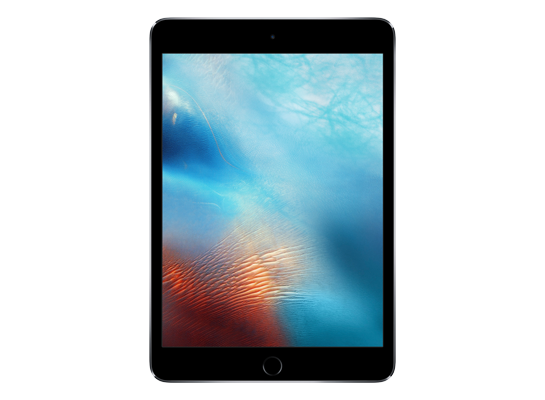
iPad mini 4
Unsigned iPad5,1, iPad5,2 5.05 GB
iPad_64bit_TouchID_15.7_19H12_Restore.ipsw SHA-256 540d982830d81a6f28472484dd77348918a2b13cec726ddf64db255974ea25b1
Download
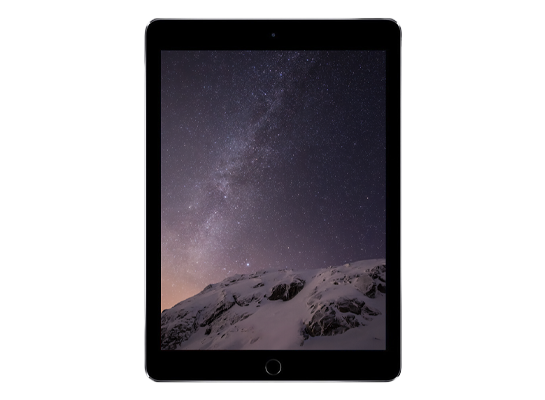
iPad Air 2
Unsigned iPad5,3, iPad5,4 5.05 GB
iPad_64bit_TouchID_15.7_19H12_Restore.ipsw SHA-256 540d982830d81a6f28472484dd77348918a2b13cec726ddf64db255974ea25b1
Download
Version
iPadOS 15.7
Build
19H12
Released
September 12, 2022
Channel
Public release
Previous
iPadOS 16.1 beta
Next
iPadOS 16.1 beta 2

How to install iPadOS 15.7 from the IPSW

Four steps, and the one that matters most is the first.

Back up first

A restore erases the device. Make an archived backup in Finder or the Apple Devices app — an iCloud backup taken on a newer version cannot be restored onto an older one. Our backup guide covers the difference.

Get the file for your exact model

Check Settings → General → About → Model Name, then download the IPSW for that device. The download shows the file size; compare it with the SHA-256 under Details if you want to be certain the file is intact.

Restore in Finder or Apple Devices

Connect with a cable, select the device, then hold Option (Mac) or Shift (Windows) and click Restore to choose the .ipsw. Update keeps your data but only works upward; Restore erases and is how you downgrade.

Set up or restore your backup

After the restore the device starts fresh. Restore the backup you made — only if it came from the same or an older version than the one you just installed.

Questions? Answers.

Can I restore iPadOS 15.7 today?

Not at the moment — Apple has stopped signing 19H12, so a restore will be rejected at the final step. The files remain here for reference and for signed re-releases.

Which is the right file for my device?

Match the identifier in Settings → General → About (or under the model's name here) against the one on each row. Wi-Fi and Cellular iPads share a file; different generations never do. Restoring the wrong device's IPSW simply fails — it cannot damage the device.

What does "signed" mean?

Apple's servers must approve a firmware before a device will accept it, and Apple only approves the builds it is currently shipping. A signed file can be restored today; an unsigned one is rejected at the end of the process, however you obtained it. Signing status changes without notice, usually within days of a newer release, which is why this catalogue rechecks it automatically.

Will I lose my data?

A Restore erases the device — that is what makes a downgrade possible. An Update with an IPSW keeps your data, but only when moving to a newer version. Either way, make an archived backup on a computer first; an iCloud backup taken on a newer version will not restore onto an older one.