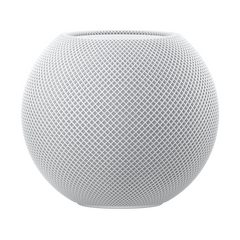
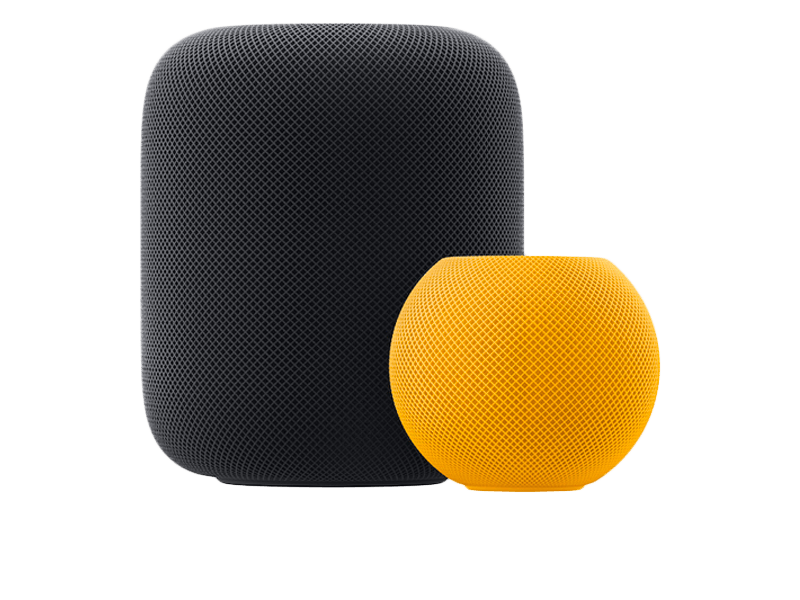
HomePod software (officially audioOS) is the quiet member of Apple's beta family: it shares its foundation and build numbers with tvOS, updates through the Home app, and mostly just works. The reason to run its beta is Siri — voice features ship here early, and audioOS 27 carries the new Siri architecture.
The trade-off: a beta smart speaker affects everyone at home, and there's no downgrade. Here's how to enroll a HomePod deliberately, and how to keep one speaker stable if you have several.
What you'll need
HomePod or HomePod mini
HomePod (1st and 2nd generation) and HomePod mini all run audioOS 27.
iPhone or iPad with the Home app
Signed in with the Apple Account that owns (or administers) the home.
Beta program enrollment
The home owner's Apple Account must be enrolled — same beta.apple.com or developer.apple.com signup as everything else.
Step-by-step
-
1Open the Home app's HomePod settings
In the Home app on iPhone/iPad, long-press your HomePod tile, scroll down and open the gear icon, then find Software Update.
-
2Enable beta updates for this HomePod
Inside Software Update, toggle beta updates on. The option appears only when the home owner's Apple Account is enrolled in the beta program. Stereo pairs enroll together.
-
3Install audioOS 27
The beta build appears as an available update — start it and leave the speaker powered. The status light pulses white during the update; 15–30 minutes is typical.
-
4Give Siri a test round
Music request, timer, one smart-home command and an intercom message — the four things a family actually notices. If all four work, your beta HomePod is in good shape.
After installing
Future betas install automatically overnight while the toggle stays on. If you'd rather approve them manually, turn off automatic updates in the same Software Update screen and trigger each build yourself.
Troubleshooting
Beta toggle doesn't appear in the Home app
Only the home owner (not invited members) sees it, and their account must be enrolled. Check both, then force-quit and reopen the Home app.
HomePod unresponsive after updating
Unplug for ten seconds and replug. If it stays stuck with a persistent red/orange light, it needs a restore via the Home app (mini: via cable to a Mac) — which reinstalls the current beta, not stable.
Siri got worse on the beta
New Siri features roll out server-side in waves, so day-one wobble is common. Check the speaker's language/region settings match your phone and give it a few days before judging.
Before You Start: What This Actually Involves
There is no profile to download and no file to find. Apple removed configuration profiles from the beta process in iOS 16.4, and audioOS 27 is enrolled through your Apple Account instead — you sign in once in a browser, then pick the channel on the device itself. Anything offering you a "audioOS 27 beta profile" download is offering something that has not existed for years, and our piece on those files explains what they usually contain instead.
Enrolment is free on both channels. The developer channel receives each build first; the public channel gets a later, more settled build two to three weeks behind. On a device you depend on, that lag is a benefit rather than a cost — the builds carrying the serious regressions have already been replaced by the time the public channel sees them.
Can Your Device Run audioOS 27?
Being on the compatibility list and getting every feature are two different questions. Apple Intelligence in particular is gated well above the compatibility floor. A device can be fully supported and still show none of it.
Our compatibility checker answers both questions for your exact model in one step. If your model has reached its last version, staying current on that version is a supported position rather than a dead end.
Getting Back Out
Turning off Beta Updates stops new builds but leaves you on the one you have until the finished release overtakes it. To go back sooner you need a recovery-mode restore from a signed IPSW, which erases the device — so the archived backup you make before installing is the only route back with your data. An iCloud backup taken on the beta cannot be restored onto the older version.
Our guide to leaving the beta program covers every device, and the backup guide explains the difference between a backup that works as an escape route and one that does not. If you would rather wait, the release candidate in early September is the lowest-risk point in the whole cycle — see what that means.
Frequently asked questions
Can I downgrade a HomePod to audioOS 26?
No — HomePod restores reinstall the channel the speaker is enrolled in. You leave the beta by disabling the toggle and waiting for the next stable release.
Why does audioOS share build numbers with tvOS?
They're built from the same platform. That's also why our site lists identical build strings for both — it's not a mistake.
Does the beta affect my whole smart home?
Only through that speaker: its Siri, its hub duties. Other hubs (Apple TV, other HomePods) keep serving automations normally.