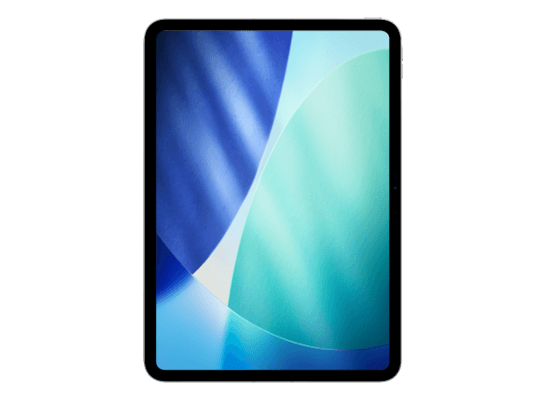
Does the iPad Pro (M5) Support iPadOS 27?
Yes — the iPad Pro (M5) is on Apple's iPadOS 27 compatibility list, so it can run the iPadOS 27 beta. It shipped with iPadOS 26, which means iPadOS 27 is another major version running on the same M5 hardware. On past form this model has a long road ahead — five or more major versions beyond iPadOS 27 is a reasonable expectation for hardware this recent.
Being on the list and getting every feature are two different things, though. Every iPadOS 27 feature reaches the M5 iPad Pro on day one, including the full Apple Intelligence stack and the most demanding external-display configurations.
How to Install the iPadOS 27 Beta on the iPad Pro (M5)
There is no beta profile to download — Apple removed configuration profiles from the process in 2023. Enrol your Apple Account free at beta.apple.com (public beta) or developer.apple.com (developer beta), then open Settings → General → Software Update → Beta Updates on your iPad Pro (M5), sign in with the same Apple Account and select iPadOS 27 Public Beta or iPadOS 27 Developer Beta.
The beta then appears in Software Update like any ordinary update. Download it over Wi-Fi with the device on a charger, and let the first-boot indexing pass finish before judging how it runs. Our full iPadOS 27 install guide walks through every step with screenshots.
iPad Pro (M5) Specifications That Matter for the Beta
The iPad Pro (M5) launched in 2025 with the M5, 12 GB or 16 GB of memory, a 11-inch or 13-inch Ultra Retina XDR tandem OLED display and storage options of 256 GB, 512 GB, 1 TB, 2 TB. Three of those numbers decide how a beta behaves on it: the chip sets raw speed, the memory decides how many apps survive in the background, and the free space determines whether the installer will even start.
The fastest iPad Apple has made. iPadOS 27 betas run on it with no performance caveats whatsoever, and the extra memory over the M4 generation shows in how many windows survive without reloading.
What the iPad Pro (M5) Gets in iPadOS 27 — and What It Doesn't
Apple Intelligence is fully supported on the iPad Pro (M5). The M5 and its 12 GB or 16 GB of memory clear Apple's on-device model requirement, so the writing tools, image features, notification summaries and the expanded Siri all appear in Settings after you install.
Everything else in iPadOS 27 — the interface changes, the new Settings layout, Control Centre, Messages, Photos, Safari and the system apps — installs and works on the iPad Pro (M5) exactly as it does on current hardware. Feature-by-feature availability across every model is on our supported devices page.
Performance and Battery on the iPad Pro (M5)
The 256 GB and 512 GB models carry 12 GB of memory; the 1 TB and 2 TB models get 16 GB. On a beta that difference decides how aggressively iPadOS reclaims background apps. On the thermal side, the M5 holds sustained performance longer than the M4 in the same chassis, which is most visible during Apple Intelligence model downloads.
The pattern is consistent across every device: the first two to three days after a beta install look far worse than the software actually is, because Spotlight is reindexing, Photos is re-analysing your library and iCloud is re-syncing all at once. If it has not settled after four days, our battery drain fix guide covers the settings that actually help.
Before You Install a Beta on Your iPad Pro (M5)
Make an archived backup first — on an iPhone or iPad that means an encrypted Finder backup to a computer, not just iCloud. An iCloud backup made on iPadOS 27 cannot be restored onto iPadOS 26, so it is not a route back. Our backup guide explains the difference in detail.
Check free space too. A iPadOS 27 beta wants roughly 15 GB free before it will begin, which is more than the download size suggests. If you depend on this iPad for work, consider whether the public beta channel suits you better than the developer channel.
How to Get Back to iPadOS 26 on the iPad Pro (M5)
Turn off Beta Updates first, then put the iPad Pro (M5) into recovery mode and restore the signed iPadOS 26 IPSW through Finder. That erases the device, which is why the archived backup matters — our downgrade guide covers the whole sequence, and the IPSW page explains which files are still signed.
If you simply want to stop receiving new betas without erasing anything, set Beta Updates to Off and stay where you are until the finished iPadOS 27 release arrives and overtakes your build. Our guide to leaving the beta program covers both routes.
Frequently Asked Questions
Can the iPad Pro (M5) run iPadOS 27?
Yes. The iPad Pro (M5) is on Apple's iPadOS 27 compatibility list and can install both the developer and public beta through Settings → General → Software Update → Beta Updates.
Does the iPad Pro (M5) support Apple Intelligence in iPadOS 27?
Yes. The M5 with 12 GB or 16 GB of memory meets Apple's requirement, so every Apple Intelligence feature is available on the iPad Pro (M5).
Is there a iPadOS 27 beta profile for the iPad Pro (M5)?
No. Apple removed beta profiles in 2023. Beta access is now tied to your Apple Account: enrol free at beta.apple.com, then choose the channel in Settings → General → Software Update → Beta Updates.
How much free space does the iPadOS 27 beta need on the iPad Pro (M5)?
Around 15 GB free, which is considerably more than the download size. The iPad Pro (M5) ships in 256 GB, 512 GB, 1 TB, 2 TB configurations, so check the smallest one carefully before you start.
Will the beta hurt battery life on the iPad Pro (M5)?
Temporarily, yes. The 256 GB and 512 GB models carry 12 GB of memory; the 1 TB and 2 TB models get 16 GB. On a beta that difference decides how aggressively iPadOS reclaims background apps.
Will the iPad Pro (M5) get iPadOS 28? Apple names the supported models at WWDC in June. Until then, our assessment of every model from Apple's own record — this one included.